Three cards, top to bottom. The keys you paste here live in the local Node process memory only. They are never sent to a remote server, never written to disk, never echoed to logs.
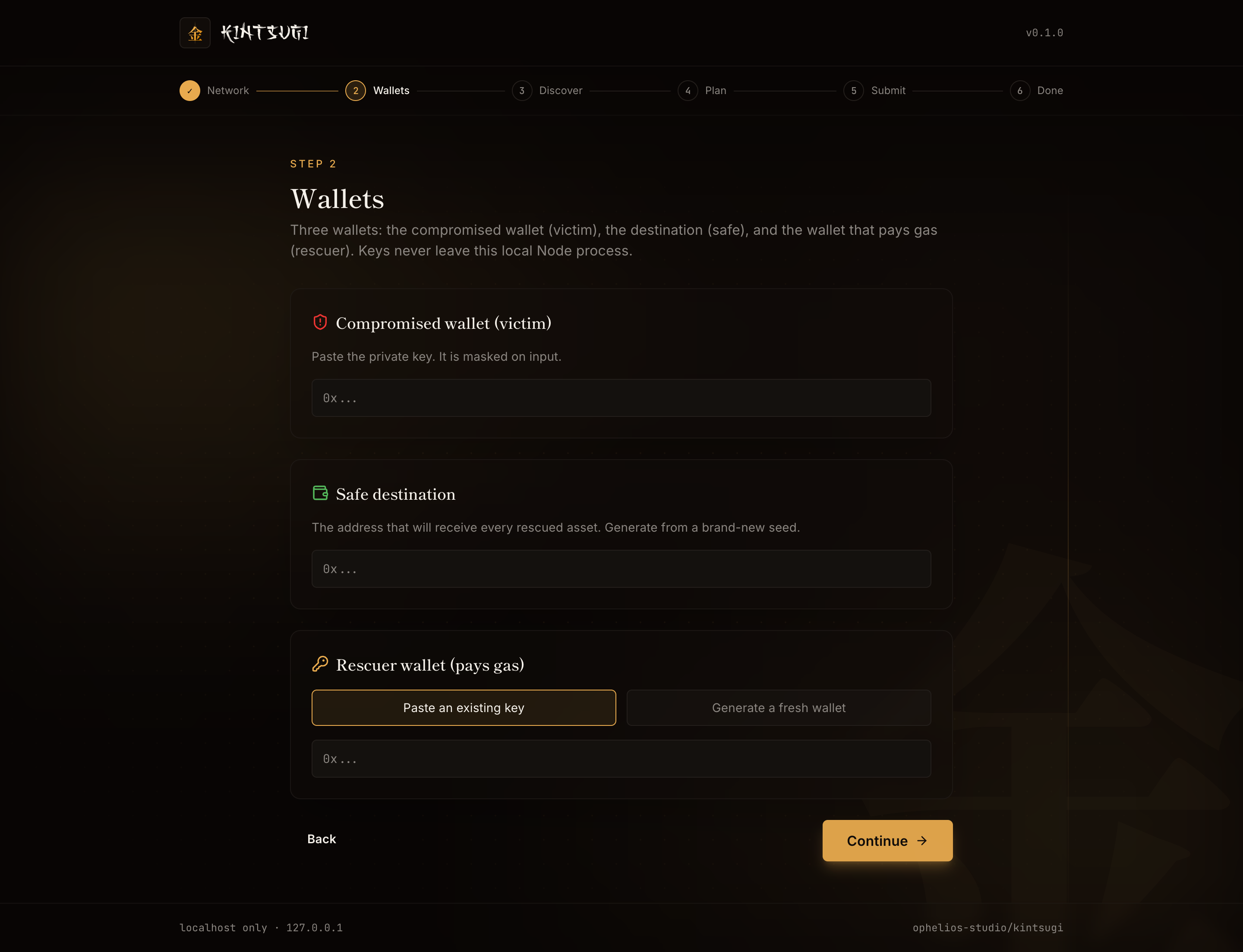
Compromised wallet (victim)
Paste the private key of the compromised wallet. The input field is visually masked: as you type, characters render as bullet points (●), but it is not a type="password" field, so browsers like Safari do not offer to save it to your keychain.
Once pasted, the server derives the address client-side and shows it on the next step so you can verify it matches the wallet you intended to rescue.
Safe destination
Paste the destination address. This is where every rescued asset lands. Must be a brand-new wallet generated from a brand-new seed.
The UI never asks for the safe wallet's private key. It just needs the address.
Rescuer wallet (pays gas)
Two options:
- Paste an existing key. A wallet you control with a small amount of ETH on the chosen chain. About 0.005 ETH covers most rescues.
- Generate a fresh wallet. Kintsugi generates a new private key, derives the address, and the next page pauses while you fund it. Send about 0.005 ETH from an exchange or another clean wallet. Once the balance arrives, the UI's funding poller picks it up automatically.
The rescuer is involved only as a payer. It cannot move rescued assets, only sign and submit the outer Type-4 transaction.
Continue
Click Continue. Kintsugi does a quick balance check on each address (informational only) and moves you to the Discovery step.
A note on private-key handling
The server holds the keys in a Map<sessionId, Session> data structure. The session map is wiped on Ctrl+C, on /api/shutdown, and on process exit. The keys never make a round-trip outside the local Node process. The browser only ever sees the derived addresses (and the EIP-7702 / EIP-712 signatures, which are produced server-side).