After kintsugi ui opens the localhost browser tab, the first step is choosing the network.
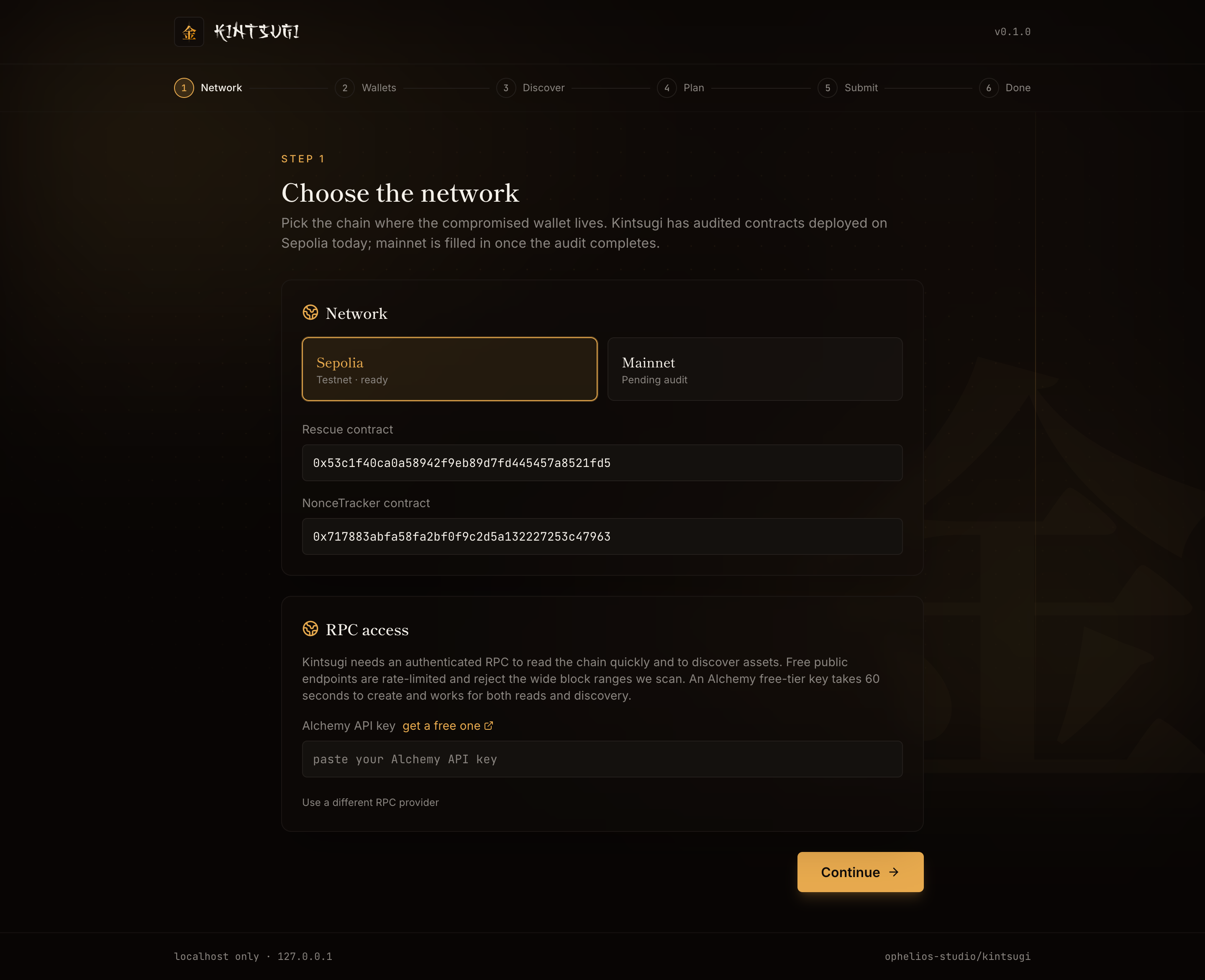
Choose the chain
Two options:
- Sepolia: Ethereum's test network. Use this to dry-run the flow with the provided faucet ETH and test contracts.
- Mainnet: pending audit at the time of writing. The Sepolia deployment is verified and has been used for live test rescues; mainnet contract addresses will be filled in once audit completes.
The Rescue and NonceTracker contract addresses pre-fill for Sepolia. For mainnet, paste the audited addresses from the security page.
RPC access
Kintsugi needs an authenticated RPC to:
- Read the victim wallet's ETH balance and code
- Discover ERC-20 holdings and NFTs (which require wide block-range scans)
- Read the NonceTracker
- Submit the Type-4 transaction
- Poll for inclusion
Free public endpoints are rate-limited and reject the wide block ranges Kintsugi scans. The simplest path is a free Alchemy account.
Alchemy API key (recommended)
Sign up at dashboard.alchemy.com, create an app for your target chain, copy the API key. Paste it (just the bare key, not the full URL) into the Alchemy field. The same key drives both chain reads and asset discovery.
If you accidentally paste the full URL, Kintsugi tolerates it: extractAlchemyKey strips everything but the trailing path segment.
Custom RPC URL (advanced)
Click Use a different RPC provider to reveal a free-form RPC URL field. Useful if you have an Infura, QuickNode, or self-hosted node. When set, this URL overrides the Alchemy-derived URL for chain reads. Discovery still uses the Alchemy key if one is set.
Continue
The Continue button is disabled until you provide either an Alchemy key or a custom RPC URL. Once set, click through to the Wallets step.